










New updates are up! Are you ready for this upgrade?
Just in time after Apple unveiled its newest smartphones, the iPhone 15 and the iPhone 15 Pro Max, its users are bound to have another upgrade as the company launches iOS17.
To make smartphones have a more accessible space and a personalized touch, here are the things that you need to know before upgrading to Apple’s newest software update.
1. Personalize your phone call display
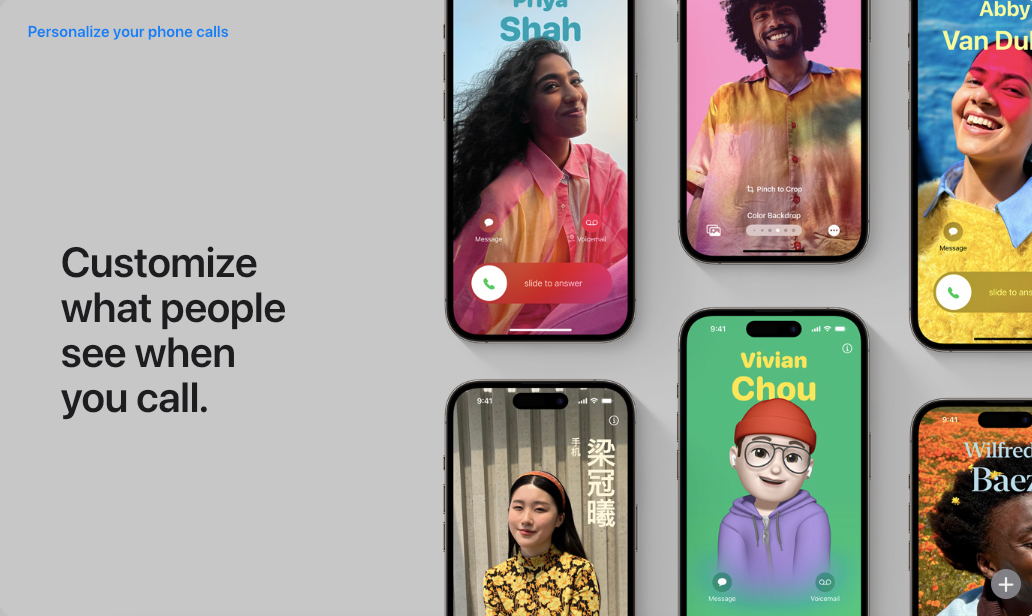
Recently, the updates from Apple have focused on giving a personal touch to its users so they have different choices when using smartphones.
With this, iOS17 is good news for its users, especially those who are into aesthetics, because you can now customize what you see during phone calls in full version through your screen.
Just like how its users customize their lock screen, designing the contact card during phone calls has the same options, such as including texts, effects, and even avatars. This upgrade will definitely make phone calls more fun!
2. More more more upgrades on messaging!

One of the smartphone’s main functions for its users is its messaging app, which is considered by Apple as its newest update and gives more convenience to its users.
Virtual messaging is one of the ways to look into the safety of your loved ones, and iOS17 got you! With its new upgrade to its software, users can now automatically send check-in notifications to their friends or family members as soon as they have arrived at their destination.
Also, the location of the user or the one that he or she messaged can be directly sent to the iMessage app to have concise tracking when it comes to places.
Another update from iOS17 is perfect for people who always have piled-up messages, as the Apple messaging app now has a new catch-up arrow to let the user see the first message in the conversation that he or she did not read, giving them the option to see the prior message sent.
Lastly, there is another perfect upgrade for people who like personalization on their phones, as stickers from your gallery can now be sent through its messaging app. This will be kept in a ‘sticker drawer,’ so you can easily find your favorite sticker whenever you want to send it to your friends or loved ones.
3. More options for Standby designs
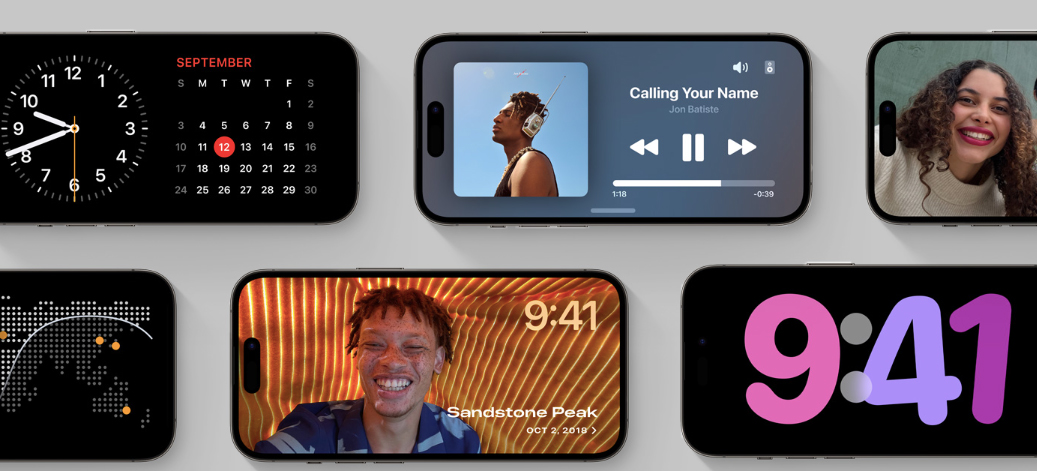
Who says that the standby option on your iPhone is boring? Well, iOS17 has you covered!
This new upgrade gives the user more options and designs to make the standby mode more functional and aesthetic. “Turn your iPhone on its side while charging to make it even more useful when you set it down,” Apple disclosed.
Designs such as calendars, previews of your current music playing, clocks, and even a slideshow of your favorite pictures are just some of the options that you can add to your standby mode.
4. Share more with AirDrop
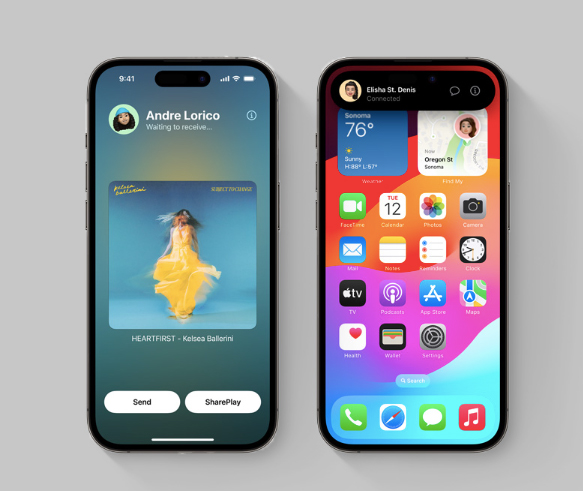
We heard of sharing contact cards through AirDrop, but iOS17 wants to highlight more!
Besides exchanging phone numbers through AirDrop, users can also now share their playlist or favorite song with just a tap.
iOS17 has made this possible with SharePlay, wherein users will just position two iPhone devices close together to enable the SharePlay session on their phones.
Another surprise was unveiled by Apple, as they will also provide more convenience in sharing memories and files with other devices. Later this year, they are bound to promote AirDrop transfers that are functional even if the devices are not close together.
5. Visual lookup
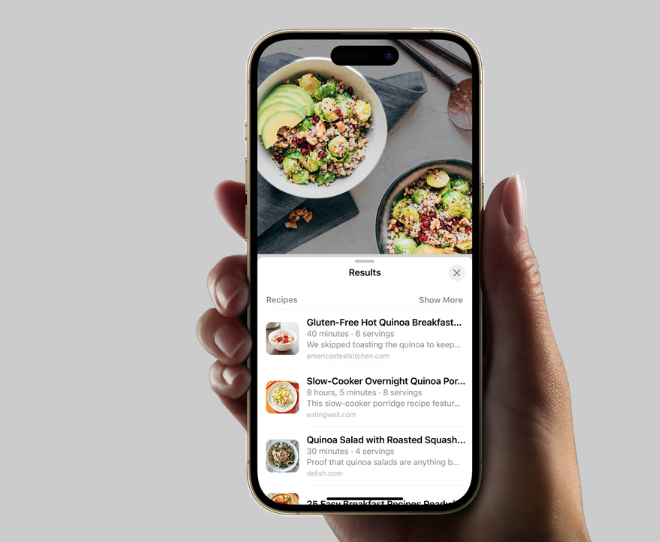
Want to see or search for something that you just saw on the internet or in person? Then it’s time for you to get that iOS17 update.
The new upgrade for Apple will let its users look up a specific subject from something that was captured in a photo from your gallery by just tapping the subject and connecting it to the device’s callout menu.
If you were not able to capture it, don’t worry because you can also use the look-up option through your camera when you use the ‘Visual Look Up’ to identify the names of subjects such as plants, animals, landmarks, and many more.
If you are now convinced to update your Apple device to iOS17, take note that the devices compatible with this upgrade start from the iPhone SE (2nd generation or later) up to the iPhone 15 Pro Max.
What are you waiting for? It’s time to get that upgrade!